
In this case study
A library needs to be easy to navigate.
Sedona’s global library was organized into typography, colours, components, grids, and patterns. Within that structure, all components lived on a single page. The documentation identified repeated scrolling, growing maintenance effort, and difficulty understanding where components belonged.
For new designers, developers, and stakeholders, locating a component was only the first challenge. They also needed guidance on using libraries, choosing the right component, and understanding updates.
For a library user
Finding a component is only the beginning. Designers and developers also need to choose a variant and understand how to apply it.
For a maintainer
As the library grows, guidance and change history need a repeatable structure that teams can keep current.
The design challenge
How might we make a growing component library easier to find, learn, and maintain across product teams?
From a crowded canvas to a clear structure.
The documentation review identified these issues and proposed corresponding changes. This comparison describes the original structure and the proposed direction, rather than measured post-launch results.
| Original structure | Proposed direction |
|---|---|
| Components grouped on a single page, requiring repeated scrolling. | Dedicated component pages with a linked index. |
| New users lacked a clear starting point. | A Getting Started page explaining the file and library workflow. |
| Different teams could interpret component usage differently. | Usage guidance linked to documentation, examples, and the main component. |
| Component changes were difficult to follow. | A structured change log supported by Figma version history. |
Three decisions for a library people can use.
The proposed structure connects navigation, learning, and maintenance. These choices describe the documentation direction; they are not a claim of a measured rollout.
Give components a clear home.
Dedicated component pages and a linked index replace repeated searching across one crowded canvas.
- Design rationale
- Give component categories dedicated pages and connect them through a consistent index.
- Tradeoff
- More pages reduce canvas clutter but add navigation; the index needs to remain complete and predictable.
Connect discovery with usage guidance.
Getting Started explains the file and library workflow. Component entries link to guidance, examples, and the main component.
- Design rationale
- Put getting-started guidance and component usage in the same discovery path.
- Tradeoff
- Guidance requires maintenance alongside the component, otherwise examples and implementation can drift.
Make updates traceable.
A structured change log records dates, versions, update owners, summaries, and details alongside Figma version history.
- Design rationale
- Record the date, version, owner, and nature of a change so teams can understand what to review.
- Tradeoff
- A detailed history is useful only when updates are recorded consistently; the format should be manageable to maintain.
One route through the system.
- 01Start with guidance
- 02Find a component
- 03Choose a variant
- 04Review its changes
The proposed architecture groups the library into Welcome, Foundations, Interactive Components, Base Components, and Application Widgets. Foundations brings together accessibility, border and radius, colours, effects, icons, logos, responsive guidance, spacing and grid, and typography.
Start with guidance. Continue with context.
The Welcome area introduces the library through Getting Started, a structure overview, and change logs. From the component index, a designer can move to usage guidance, inspect an example, and locate the main component.
Document the choices within a component.
The avatar example shows how a reusable component covers initials, images, icons, numbers, and brand representations. It also presents sizes from 24 to 120 pixels and editing states. Keeping these choices together makes the component’s range visible without asking teams to infer it.
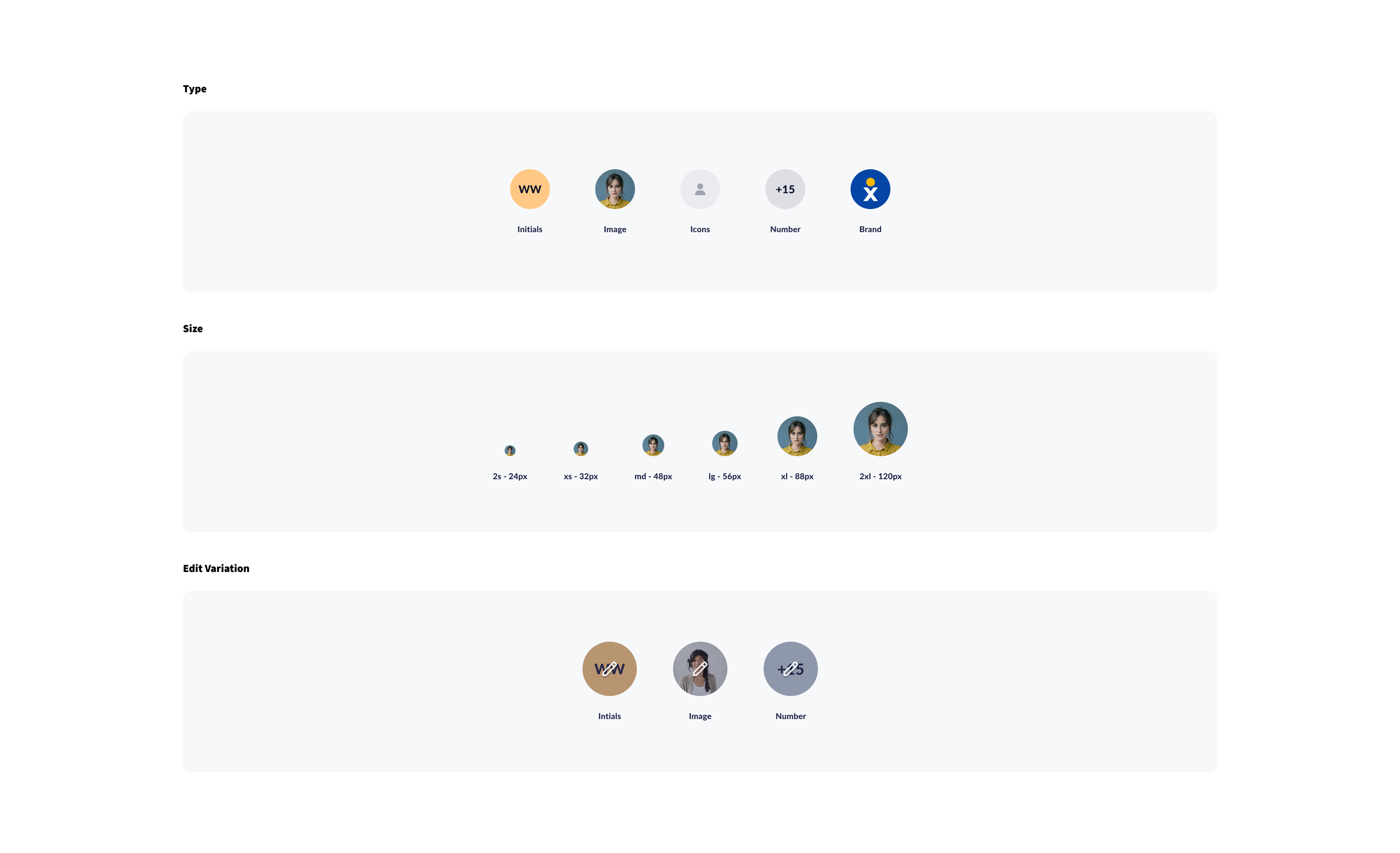
Avatar component reference
Types, sizes, and edit states shown together in the supplied Sedona design.
Make identity and availability legible.
The avatar overview extends the component reference with nine colour options and seven presence states: Available, Busy, Away, Offline, DND, On a Call, and In a Meeting. Showing these states together gives teams a shared reference for representing availability alongside identity.
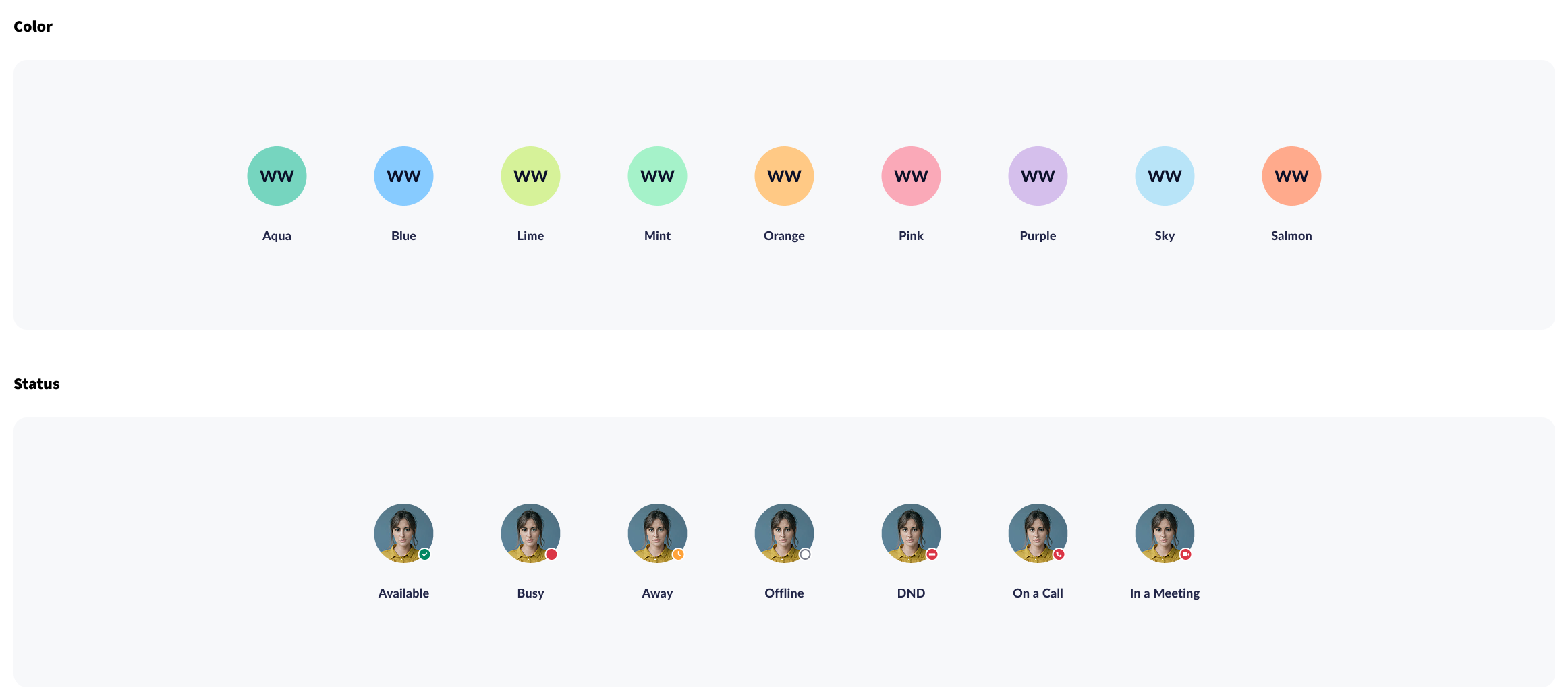
Colour and presence
An excerpt from the avatar documentation showing the available palette and status treatments.
Define how individual avatars become a group.
Group conversation examples cover four sizes. The stack guidance goes further, specifying 16px overlap with a 4px outside stroke and 8px overlap with a 2px outside stroke. These concrete rules help teams recreate the same grouping treatment instead of estimating spacing.
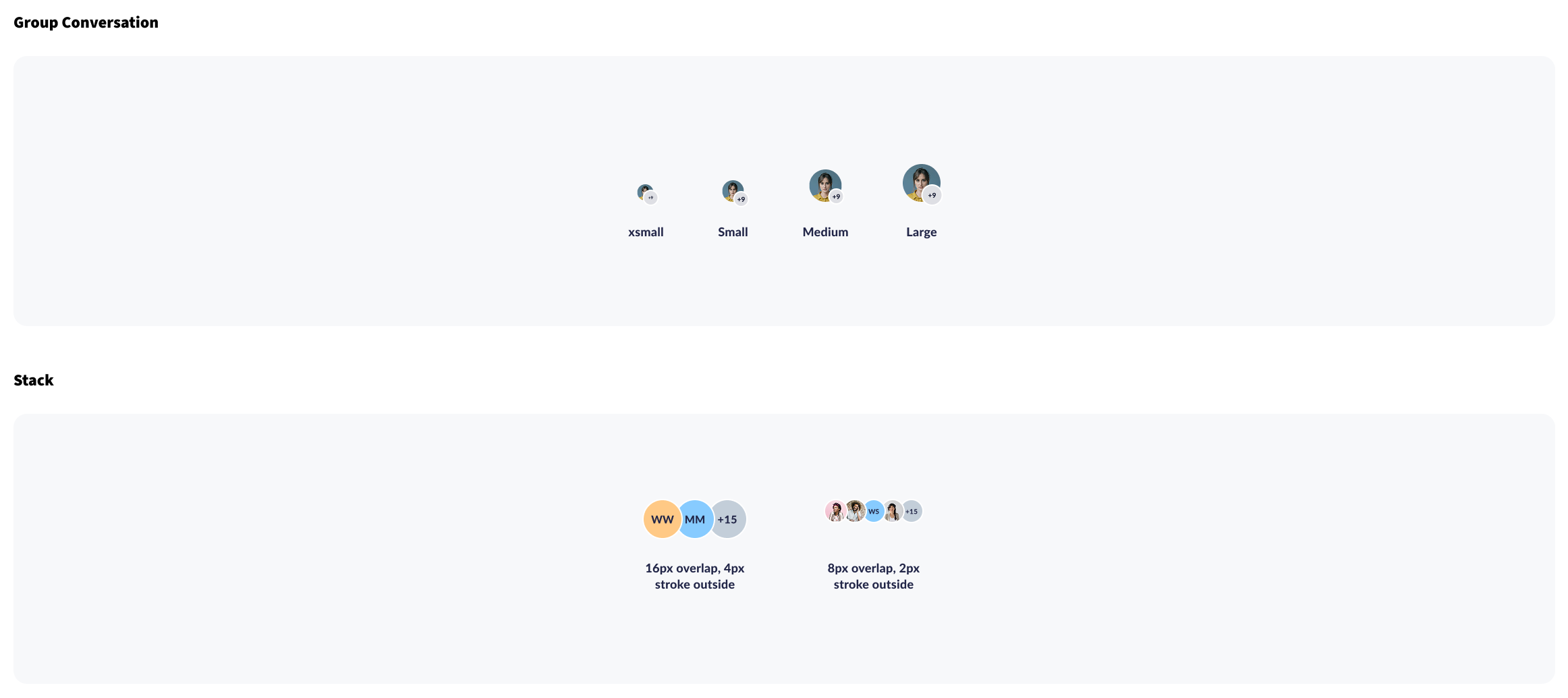
Group sizes and stacking rules
Selected documentation examples connect component variants to explicit layout guidance.
The overview also places avatars in mobile profile and desktop team-chat examples, connecting the component specification to its use in an interface.
Validate the documentation through real tasks.
The supplied documentation describes the problems and proposed structure; it does not include a completed usability study or measured adoption results.
A next evaluation would ask a new library user to find a component, choose an appropriate variant, locate the main component, and identify its latest change. Observing where they hesitate would help refine naming, links, and guidance.
Engineering review would also check that documented variants and states match the implementation. These are proposed validation steps, not completed test results.
What the next validation round should establish
Proposed tasks and success signals for a future evaluation; these are not completed test results.
| Scenario to evaluate | Success signal |
|---|---|
| A new designer looks for a component for a specific task. | They reach the appropriate page from the index and locate its main component. |
| A designer chooses an avatar size and presence state. | They find the relevant variant and can explain the documented usage and spacing. |
| A developer checks what changed in a component. | They can locate the latest update and compare the documented states with implementation. |
A clearer blueprint for a growing library.
- FindDedicated pages and linked index
- LearnOnboarding and usage guidance
- TrackStructured component changes
The work defines a documentation structure intended to make Sedona easier to discover, understand, and maintain. It brings library organization and team onboarding into the design-system experience.
My takeaway: reusable components need equally usable documentation. The next step is to evaluate whether teams can confidently find and apply the right pattern, then refine the structure around those observations.
What I take forward
Documentation is part of the system.
A reusable component needs a clear route to discovery, guidance, and change history.
Check the path with new users.
Observing first-time library users would help reveal gaps that are easy for experienced contributors to overlook.